Introduction
Running a business involves much more than selling products or delivering services. Every day, business owners and their teams spend hours responding to emails, managing customer inquiries, scheduling appointments, preparing reports, following up with leads, updating records, and handling repetitive administrative work.
Although these tasks are necessary, many of them do not require constant manual involvement.
This is where AI automation can make a real difference.
With the right AI tools and automated workflows, businesses can reduce repetitive work, respond to customers faster, organize information, improve marketing operations, and give their teams more time to focus on important decisions.
AI automation is no longer limited to large corporations. Small businesses, startups, agencies, online stores, and service providers can also benefit from it.
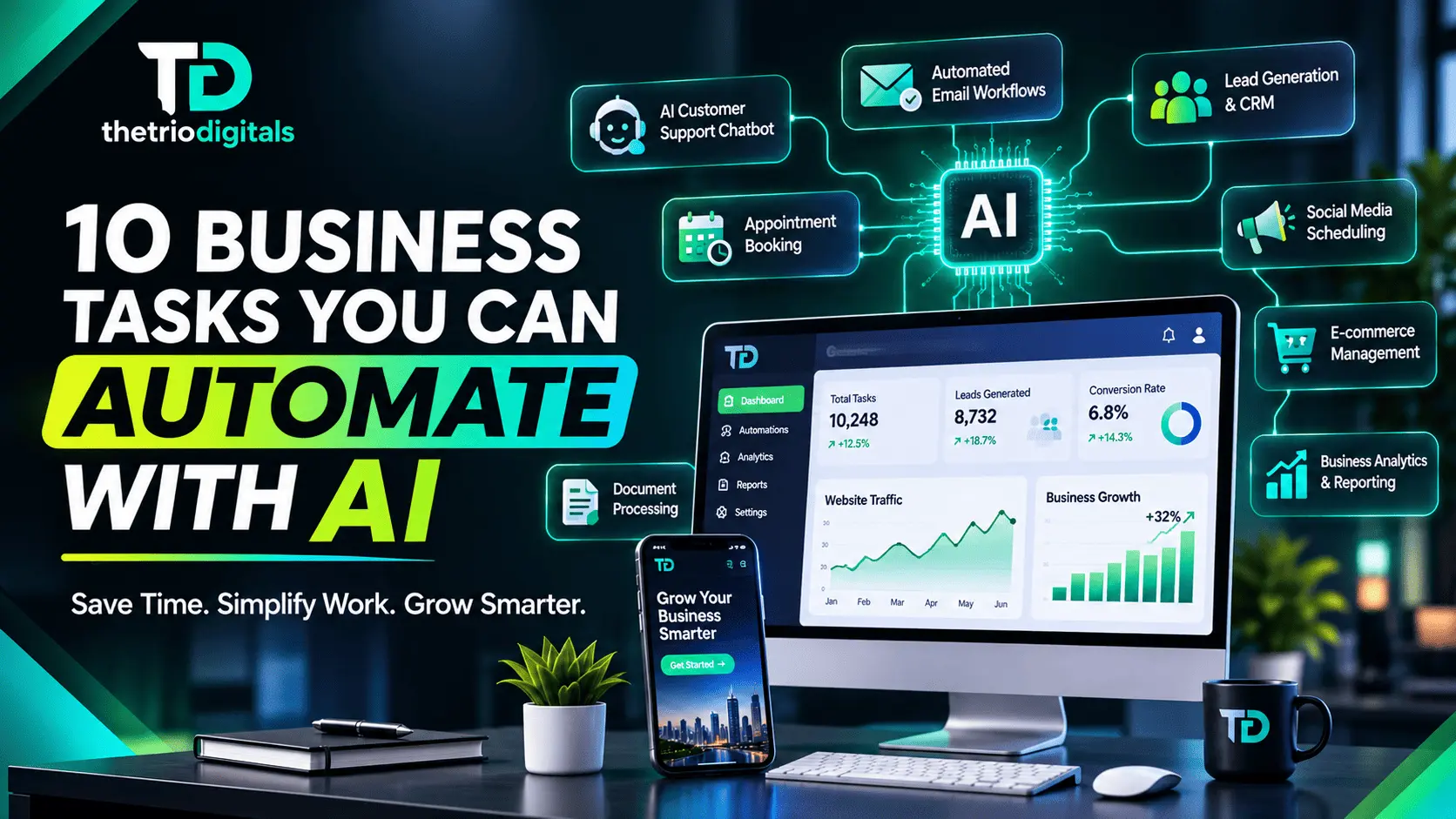
In this guide, we will explore 10 business tasks you can automate with AI, explain how each automation works, and show how it can help your business operate more efficiently.
What Is AI Business Automation?
AI business automation is the use of artificial intelligence and automation technologies to perform tasks that would otherwise require manual effort.
Traditional automation generally follows predefined rules. For example, it might send an email whenever someone submits a contact form.
AI-powered automation can go further. It can interpret customer messages, categorize inquiries, summarize information, generate responses, extract details from documents, and help make decisions based on the information it receives.
For example:
A traditional workflow sends every inquiry to the same email address.
An AI-powered workflow can identify whether an inquiry is about pricing, support, or a new project and route it to the appropriate team.
AI automation can work through AI assistants, chatbots, CRM systems, email platforms, workflow automation software, and custom API integrations.
The goal is not to replace every employee or remove human involvement. It is to reduce repetitive work and help people work more effectively.
1. Customer Support and Frequently Asked Questions
Customer support is one of the most practical areas where businesses can use AI automation.
Customers often ask similar questions about pricing, services, delivery times, business hours, product availability, return policies, and order status. Answering these questions manually can consume a significant amount of time.
An AI-powered chatbot or support assistant can handle many routine inquiries automatically.
How AI customer support automation works
An AI chatbot can be connected to your website, knowledge base, product information, and approved support documentation.
When a customer sends a question, the system can:
Understand what the customer is asking.
Search relevant business information.
Generate an appropriate response.
Provide links to useful pages or resources.
Collect customer contact details when necessary.
Transfer complicated issues to a human representative.
Example
Imagine you run an online clothing store.
A customer asks, "How can I track my order?"
Instead of waiting for a support representative, an automated assistant can explain the tracking process or retrieve order information through a secure integration, if the system has the required access.
Business benefits
Faster responses to common questions.
Less repetitive work for support teams.
Better availability outside business hours.
More consistent customer communication.
Important: AI support should use accurate, approved business information. Sensitive issues, complaints, refunds, and unusual requests should have a clear human escalation process.
2. Lead Generation and Lead Qualification
Finding potential customers is important for almost every business, but not every inquiry represents a suitable sales opportunity.
Sales teams often spend considerable time reviewing leads, checking requirements, asking preliminary questions, and deciding which prospects deserve priority.
AI can help automate much of this process.
How AI lead qualification works
An automated lead workflow can collect information through website forms, landing pages, advertisements, or other approved channels.
AI can then analyze the submitted information and:
Identify the prospect's business type.
Understand their requirements.
Categorize the inquiry by service or product interest.
Identify missing information.
Assign a lead priority based on your defined criteria.
Send qualified leads to the relevant sales representative.
Add the information to your CRM.
Example
Suppose a web development agency receives 50 inquiries in a week.
An AI-powered workflow can organize those inquiries into categories such as business website development, e-commerce development, website redesign, WordPress customization, and general inquiries.
The sales team can then prioritize inquiries based on budget, project requirements, timeline, and service fit.
Business benefits
Less manual lead sorting.
Faster response to potential customers.
Better-organized sales pipelines.
More time for sales conversations.
AI can also help draft personalized follow-up messages, but important sales communication should be reviewed when accuracy or relationship-building matters.
3. Email Management and Automated Replies
Email remains an important communication channel for businesses. However, managing a busy inbox can become a daily challenge.
Employees may receive appointment requests, quotation inquiries, support questions, partnership proposals, invoices, internal updates, and general messages.
AI can help organize and manage these communications.
What can be automated?
An AI-powered email workflow can:
Categorize incoming emails.
Identify urgent messages.
Summarize long email conversations.
Extract important details.
Draft responses to common questions.
Forward messages to the appropriate department.
Create follow-up reminders.
Notify employees about important requests.
Example
A customer sends an email asking for a quotation.
An automated system can identify it as a pricing inquiry, extract the customer's requirements, summarize the request, and prepare a draft response using your approved quotation process.
A team member can review the draft before sending it.
Business benefits
Better inbox organization.
Reduced time spent writing repetitive emails.
Faster handling of important inquiries.
Fewer overlooked messages.
For sensitive, contractual, financial, or legally important communication, keep human approval in the process.
4. Social Media Content Creation and Scheduling
Maintaining an active social media presence requires consistent effort.
Businesses need to create captions, prepare graphics, write descriptions, develop content ideas, respond to comments, and publish posts across multiple platforms.
AI can simplify many of these activities.
How social media automation works
AI tools can help businesses:
Generate content ideas.
Draft social media captions.
Create post descriptions.
Repurpose blogs into shorter posts.
Suggest hashtags and keywords.
Prepare content calendars.
Draft replies to common comments.
Schedule approved posts.
For example, one detailed blog post can be converted into several smaller pieces of content, such as LinkedIn posts, Facebook updates, Instagram captions, and short video scripts.
Example
A company publishes a blog about website security.
An AI workflow can turn that blog into three educational social media posts, a short LinkedIn article, five frequently asked questions, a short video script, and an email newsletter draft.
The marketing team can review and adapt the content before publishing.
Business benefits
Faster content production.
More consistent posting.
Better use of existing content.
Less time spent on repetitive writing.
AI-generated content should still be checked for accuracy, originality, brand voice, and platform suitability. Automation should support your content strategy, not replace it.
5. Appointment Scheduling and Meeting Management
Businesses that rely on consultations, sales calls, service appointments, or client meetings often spend unnecessary time coordinating schedules.
Going back and forth through emails to find a suitable time can slow down the process.
AI-assisted scheduling can make appointment management easier.
What can be automated?
A scheduling workflow can:
Share available appointment slots.
Allow customers to book meetings.
Send booking confirmations.
Deliver reminders before appointments.
Collect preliminary information.
Send meeting links.
Notify employees about cancellations or rescheduling.
AI can also summarize meeting notes and identify action items after a meeting when connected to an appropriate recording or transcription service.
Example
A digital agency offers free discovery calls.
A potential client visits the website, selects an available time, completes a short form, and receives a confirmation email automatically.
The agency receives the booking details without manually coordinating every appointment.
Business benefits
Reduced scheduling back-and-forth.
Fewer missed appointments through reminders.
More organized calendars.
Better customer experience.
Always make time zones, cancellation policies, and calendar availability clear.
6. Data Entry and Document Processing
Manual data entry is one of the most repetitive business activities.
Employees may need to copy information from emails, invoices, forms, purchase orders, applications, receipts, and other documents into spreadsheets or business systems.
AI can help extract and organize this information.
How AI document automation works
Using document processing and AI-powered extraction, a workflow can:
Read information from supported documents.
Extract names, dates, amounts, and reference numbers.
Identify document types.
Organize information into structured fields.
Add approved data to a CRM, spreadsheet, or database.
Flag missing or inconsistent information for review.
Example
A business receives dozens of supplier invoices every month.
An automated workflow can extract the supplier name, invoice number, invoice date, due date, total amount, and tax information.
The extracted details can then be added to an accounting workflow for verification.
Business benefits
Less manual typing.
Faster document processing.
More organized records.
Reduced repetitive administrative work.
Important: AI extraction is not always perfect. Financial records, tax details, and payment information should be checked before they are used for accounting or payment decisions.
7. E-commerce Product Management and Customer Communication
Online stores handle many repetitive tasks, especially when they have large product catalogs or receive frequent customer inquiries.
AI can support product management and customer communication when connected to the store's systems.
What can be automated?
AI-powered e-commerce workflows can help with:
Drafting product descriptions.
Generating product FAQs.
Categorizing products.
Summarizing customer reviews.
Answering common product questions.
Sending order confirmation messages.
Providing shipping updates through connected systems.
Identifying frequently asked questions.
Drafting responses to customer feedback.
Example
Imagine an online store selling hundreds of products.
When a new product is added, AI can use the supplied product specifications to draft a description, suggest relevant product tags, and prepare a short summary.
A store manager reviews the information before publishing it.
An AI assistant can also answer questions about product features using verified product data.
Business benefits
Faster product listing preparation.
More consistent product information.
Better customer communication.
Less repetitive store management.
For WooCommerce and other e-commerce platforms, these workflows can be built using suitable plugins, APIs, and automation integrations.
8. Reporting and Business Performance Analysis
Business owners need accurate information to understand how their business is performing.
However, preparing reports manually can involve collecting information from multiple platforms, organizing spreadsheets, calculating results, and writing summaries.
AI can help simplify reporting.
What can be automated?
Depending on the systems connected, AI can:
Collect selected business metrics.
Organize data into reports.
Summarize performance changes.
Identify unusual patterns.
Compare reporting periods.
Generate plain-language explanations.
Prepare draft recommendations for further investigation.
Example
A digital marketing agency manages campaigns for several clients.
A reporting workflow can collect approved metrics such as website traffic, leads, advertising spend, and conversions.
AI can then prepare a readable summary highlighting which campaigns generated the most leads, which traffic sources performed well, where performance changed, and which areas may need further investigation.
Business benefits
Less time preparing routine reports.
Easier access to business insights.
More consistent reporting.
Better-informed decisions.
AI-generated analysis should not be treated as automatically correct. Check the underlying data, reporting definitions, and calculations before making important business decisions.
9. Customer Follow-Ups and Sales Pipeline Management
Many businesses lose potential opportunities because they forget to follow up.
A prospect may request a quotation, attend a meeting, ask for additional information, or show interest in a service but then receive no further communication.
AI and workflow automation can help businesses maintain consistent follow-up processes.
How follow-up automation works
A CRM-connected workflow can:
Record new inquiries.
Assign leads to team members.
Create follow-up tasks.
Send reminders after a defined period.
Draft personalized follow-up emails.
Update lead stages.
Notify sales representatives about inactive opportunities.
AI can also summarize previous conversations so the sales representative has the relevant context before contacting a prospect.
Example
A potential customer requests a website development quotation.
The CRM records the inquiry and creates a follow-up task. If the customer has not responded after the agreed period, the system reminds the sales representative or prepares a follow-up message for approval.
Business benefits
Fewer missed opportunities.
More consistent communication.
Better sales pipeline organization.
Improved visibility into lead status.
Follow-up frequency and messaging should respect customer preferences, applicable marketing laws, and consent requirements. Avoid sending repetitive or unwanted messages.
10. Internal Workflow and Task Management
Businesses often manage several projects, departments, employees, and deadlines simultaneously.
Without an organized system, important tasks can be delayed, information can get lost, and employees may spend too much time updating each other.
AI-assisted workflow automation can help connect everyday business operations.
What can be automated?
Depending on your tools and processes, an AI workflow can:
Convert incoming requests into tasks.
Categorize tasks by department.
Summarize project updates.
Assign tasks based on predefined rules.
Send deadline reminders.
Notify team members about changes.
Generate project status summaries.
Identify missing information.
Example
A client submits a website development request through a form.
The workflow can create a project record, organize the submitted requirements, generate an initial task checklist, notify the project manager, and prepare a client acknowledgment email.
The project manager can then review the requirements and assign the actual work.
Business benefits
Better team coordination.
More organized project management.
Reduced administrative updates.
Improved visibility into ongoing work.
AI should not independently make high-impact employee, financial, or project decisions without appropriate human oversight.
Which Business Tasks Should You Automate First?
Although AI can support many business activities, automating everything at once is rarely a good strategy.
Start with tasks that are repetitive, time-consuming, and easy to measure.
| Business task | Automation opportunity | Potential benefit |
|---|---|---|
| Customer support | AI chatbot and knowledge base | Faster routine responses |
| Lead qualification | AI lead categorization | Better-organized prospects |
| Email management | AI sorting and draft replies | Less inbox administration |
| Social media | Content assistance and scheduling | More consistent publishing |
| Appointment booking | Scheduling workflows | Less manual coordination |
| Data entry | AI document extraction | Reduced repetitive typing |
| E-commerce | Product content and support | Faster store operations |
| Reporting | Automated summaries | Less manual reporting |
| Sales follow-ups | CRM reminders and draft messages | More consistent follow-up |
| Internal workflows | Task creation and notifications | Better team coordination |
A Simple Way to Prioritize Automation
Before selecting a tool, ask these four questions:
Is the task repetitive? Does your team perform it regularly?
Does it consume significant time? Is it taking time away from more valuable work?
Can the process be clearly defined? Do you understand what triggers the task and what the expected result should be?
Can the result be checked? Is there a reliable way to verify that the automation worked correctly?
Start with one workflow, measure its results, and improve it before expanding to other processes.
What Tools Can Businesses Use for AI Automation?
There is no single AI tool that is best for every business. The right solution depends on your existing software, workflow complexity, security requirements, and budget.
Here are some commonly used platforms and technologies:
1. OpenAI
AI models can support content generation, information extraction, classification, customer support assistants, and custom business workflows through suitable integrations.
2. Make
Make helps connect applications and build automated workflows. It can be used to move information between forms, CRMs, email platforms, spreadsheets, and other services.
3. Zapier
Zapier connects different business applications and automates actions between them. It is useful for workflows that involve common business tools.
4. n8n
n8n is a workflow automation platform that supports integrations, custom logic, and AI-powered workflows. It can be useful for businesses that need more control over their automation processes.
5. HubSpot
HubSpot offers CRM and marketing, sales, and customer service tools. Its automation capabilities can help businesses manage customer relationships and sales processes.
6. Microsoft 365 Copilot
Microsoft Copilot can assist with tasks across supported Microsoft 365 applications, including drafting, summarizing, and working with business information.
Remember: Tool capabilities, integrations, pricing, and availability can change. Check the current features and plans before choosing a platform.
How Much Does AI Business Automation Cost?
The cost of AI automation depends on what you want to automate and how complex the workflow is.
A simple email notification or form-to-spreadsheet workflow may require very little setup. A custom AI customer support assistant connected to a CRM, website, and internal database may require considerably more planning and development.
Common cost factors include:
AI model or software subscription fees.
Workflow automation platform costs.
API usage and third-party integrations.
Custom development and setup.
Hosting and database requirements.
Maintenance, monitoring, and improvements.
For a small business, the best starting point is usually one well-defined automation that solves a real operational problem.
Do not invest in complicated systems simply because they use AI. Focus on measurable business value.
Important Things to Consider Before Automating Your Business
AI automation can improve productivity, but poorly designed workflows can create new problems.
Before implementing an automation system, consider the following:
Data Privacy and Security
Only provide AI tools with the information they need. Protect customer details, business records, passwords, and confidential information.
Review the data handling policies of the tools and services you use.
Human Oversight
Not every task should be fully automated. Financial approvals, sensitive customer complaints, legal communication, and important business decisions should have suitable human review.
Accuracy and Reliability
AI can misunderstand instructions, produce incorrect information, or extract data inaccurately. Build verification steps into important workflows.
Integration Compatibility
Make sure your existing website, CRM, email platform, e-commerce store, and other business systems can communicate with the proposed automation tools.
Monitoring and Maintenance
Automations need monitoring. Software updates, API changes, expired credentials, and changes to business processes can affect workflows.
A successful automation system should be tested, documented, and maintained.
Final Thoughts: Start Automating Your Business Today
AI automation is changing how businesses handle everyday operations. From customer support and lead qualification to reporting, e-commerce management, and internal workflows, many repetitive business tasks can now be handled more efficiently with the right combination of AI and automation tools.
You do not need to automate your entire business in one go.
Start by identifying one task that consumes too much time, define how it should work, choose a suitable solution, and measure the results. Once that workflow is working reliably, you can gradually automate other areas of your business.
At The Trio Digitals, we help businesses explore practical digital solutions, including AI automation, workflow integrations, web development, e-commerce, and digital marketing.
Whether you want to automate customer inquiries, organize your sales process, connect your business applications, or build a custom AI-powered workflow, the right solution starts with understanding your business needs.
Ready to make your business work smarter? Contact The Trio Digitals and let's explore how AI automation can simplify your daily operations.
Frequently Asked Questions (FAQs)
1. What business tasks can be automated with AI?
Businesses can automate customer support, lead qualification, email management, social media content preparation, appointment scheduling, document processing, e-commerce tasks, reporting, sales follow-ups, and internal workflows.
2. Can small businesses use AI automation?
Yes. Small businesses can use AI automation for repetitive tasks such as answering common customer questions, organizing inquiries, scheduling appointments, and preparing reports. They can begin with simple workflows and expand as their needs grow.
3. How does AI automation help businesses save time?
AI automation reduces the need to perform repetitive tasks manually. It can process information, organize data, prepare responses, trigger workflows, and assist with routine operations, allowing employees to focus on more valuable work.
4. Is AI automation expensive?
Not necessarily. Costs vary depending on the tools, integrations, usage, and complexity of the workflow. Some businesses can start with affordable software-based automation, while more advanced custom systems require a larger investment.
5. What is the difference between AI and traditional automation?
Traditional automation follows predefined rules and instructions. AI automation can also interpret information, classify content, generate responses, summarize data, and handle certain tasks that involve less structured input.
6. Can AI automation work with WordPress and WooCommerce?
Yes. WordPress and WooCommerce websites can be connected to AI and automation tools through plugins, APIs, webhooks, and third-party integrations. The exact approach depends on the required functionality and website setup.
7. Can AI automate customer support completely?
AI can handle many routine questions, but completely removing human support is not suitable for every business. Complex complaints, sensitive matters, unusual requests, and important decisions should be escalated to human representatives.
8. Which AI automation tool is best for a business?
There is no universal best tool. OpenAI, Make, Zapier, n8n, HubSpot, and Microsoft Copilot serve different purposes. The right choice depends on your business processes, existing applications, budget, and technical requirements.
9. Is AI automation suitable for service-based businesses?
Yes. Agencies, consultants, contractors, professional service providers, and other service businesses can automate lead intake, appointment booking, customer communication, project updates, reporting, and follow-up reminders.
10. How do I get started with AI automation?
Start by identifying a repetitive task that takes time or causes delays. Document the current process, define the expected result, choose a suitable tool, and test the workflow with a small number of real tasks before expanding it.
Suggested Internal Links
Add links to the relevant pages on your own website when those pages are published:
AI Automation Services
Website Development Services
WordPress Development Services
WooCommerce and E-commerce Development
Business Process Automation
Lead Generation Services
Digital Marketing Services
Contact The Trio Digitals